Legacy Systems
Legacy Integrations: Hacking a Defunct SecondWind SCADA
Automating GUI interactions for a defunct SCADA HMI allowed us to make a wind farm dynamically dispatchable - renegotiating the PPA and generating revenue without upgrading to a new SCADA system.
Automating GUI interactions for a defunct SCADA HMI allowed us to make a wind farm dynamically dispatchable - renegotiating the PPA and generating revenue without upgrading to a new SCADA system.
Where it began…
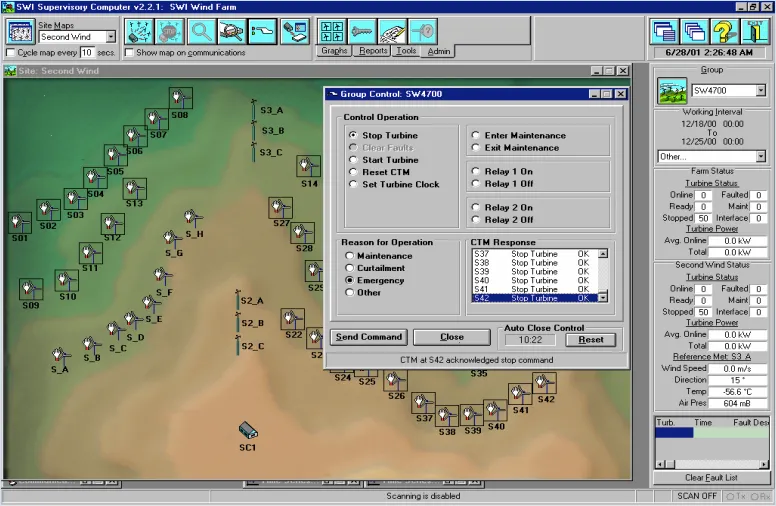
There was a company that sold a SCADA application called SecondWind specifically for the control and operation of wind turbines at a wind farm. By 2010 the system was severely outdated but owners of the SCADA application were locked into it because of its proprietary communication to the control systems on the wind turbine.
They were bought out by another company, CG-automation, that stopped supporting the application in any meaningful way. The application ran on Windows 2003 and polled a series of wind turbine controllers sequentially to draw the state of the turbine on a GUI that had text-boxes and buttons to send back control signals in order to manage individual turbine states and the site's overall power output.
How It Worked
When a wind farm is bought or built there is usually a contract to secure a certain amount of power from that wind farm over the course of some time. It is called a Power Purchase Agreement (PPA). The PPA for this wind farm included the method to dispatch the site through a phone call. The operators would receive a phone call from the Independent Service Operator (ISO), a regulatory body that manages the approved output of energy produced on the grid, and then they would remote into the HMI and enter the set-point requested by the ISO. The ability to follow the set-point within a certain amount of time gave some leeway to this outdated process.
Challenges
The site came up for PPA renewal. The ISO now had an API and was providing incentives to operators who would set up new PPAs without the need for phone calls. So the question was asked: Can we dispatch this SecondWind site dynamically through the use of an API, without spending any money upgrading the site or its outdated SCADA application?
The initial reaction of my manager was, "No! We won't support that." But then he spoke to his new employee who came over from IT and asked if there was something we could do. I immediately said, "Yes". All I needed was an agent that could automate the manual entry of an integer into the HMI's set-point input-box. Here were some things to consider:
- Older Version of Microsoft Windows
- Multiple versions of the SecondWind HMI
- Locating windows GUI form using Spy++
- Running alongside a Human Dispatcher (Race Conditions)
- End-to-End testing between a Business Network and Control Network
- Operating ICS Industrial Control Systems with a hacky solution: Safety, Safety, Safety!
Creating an API Client
The ISO provided an API endpoint. I was hoping it was REST but it turned out to be a complicated SOAP endpoint. After hours of XML I built a contract in .NET to handle the calls and set the appropriate polling rate to be every 15 minutes (typical for most power markets). The response contained the timestamp and set-point. A handshake process was required to validate the set-point was received.
The API client was hosted in our datacenter. I added several features:
- Only one of its kind can be running on the machine at any given time - this prevented double set-points from being sent to the site.
- Rolling log files to validate any set-point sent and to track any errors.
- Email notifications on any errors.
- Watchdog service to monitor the API client.
- Distribution of redundant services across multiple servers with a RabbitMQ topic.
Routing Into A Control Network
Most Wind Farm operators will have a tiered network architecture. A business layer, control layer and device layer, separated by firewalls and other security measures. Getting my signal from a datacenter server on the business layer all the way to the control network was not too bad.
Most sites already have these systems in place to send signals to a Park PLC. The Park PLC (in this case a Modicon M1) can do several tasks but one of the basic tasks is to send signals directly to the wind turbines to reset faults or apply some type of site control on top of what the SCADA is meant to do.
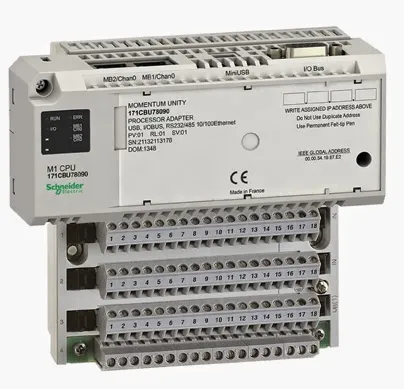
By sending the signal through the Modbus protocol I could reduce the attack vectors for a cyber criminal since it's relatively difficult to "root" a PLC with Modbus traffic. The set-point would be embedded in a Modbus protocol TCP packet using 2 Modbus 'holding' registers, 16-bits each, to send a 32-bit set-point value.
The PLC is then programmed using Schneider Electric's Unity Pro IDE.
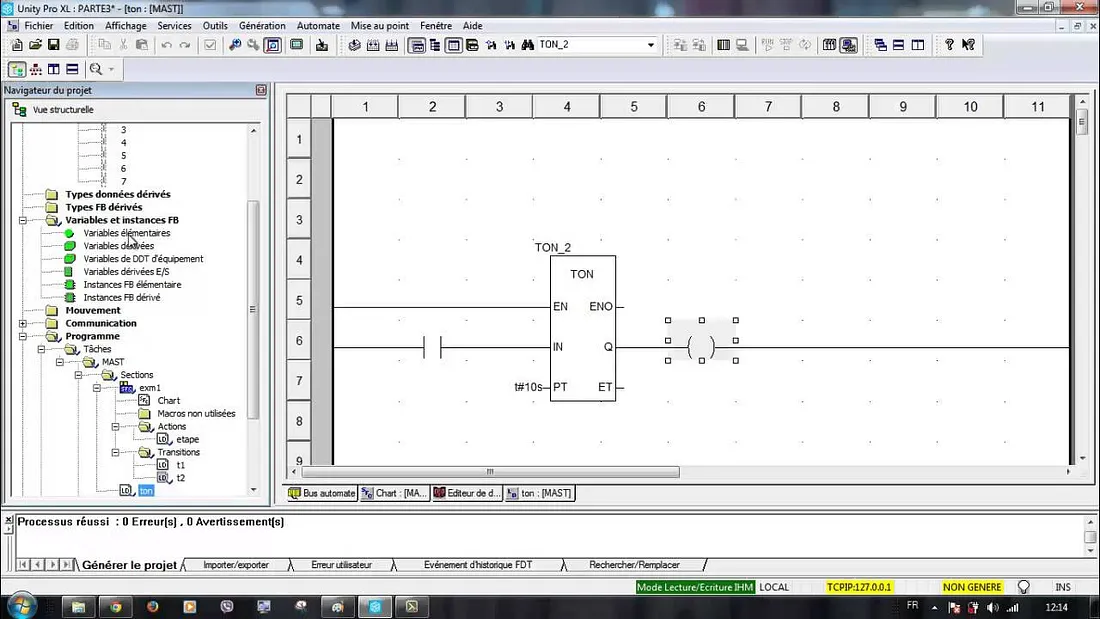
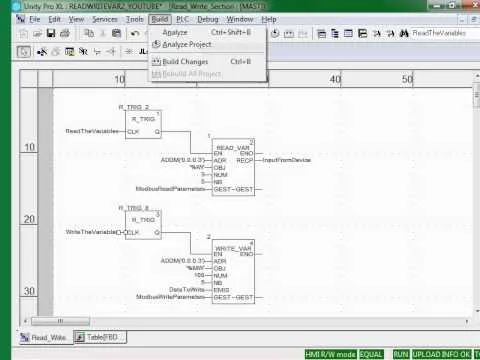
The Unity program allows the user to connect to a PLC on the network and load new programming logic to the PLC. For this project all I had to do was use the PLC to route my signal back to the SecondWind host computer on the control network.
Integrating with SecondWind HMI
As mentioned before the set-point is captured with an API and routed into a PLC then relayed over Modbus to the host computer running the SecondWind HMI. At this point the agent I built running on the HMI is hosting a Modbus server. The Modbus server is part of the agent that is accepting Modbus data on a pre-defined register.
The agent is built to take the set-point and then log the value it is reading as it changes. On a change of the set-point on the Modbus register it runs a routine to insert the value into the HMI's SecondWind GUI. The goal here is to run through a series of commands that will emulate a user on the computer that clicks through the form and inserts the set-point. (This is also known as Robotic Process Automation, RPA.)
Let's identify the clicks…
The SecondWind application could only run on Windows 2003. I had to upgrade the local .NET 1.1 framework to build an agent that could support the libraries I wanted to use.
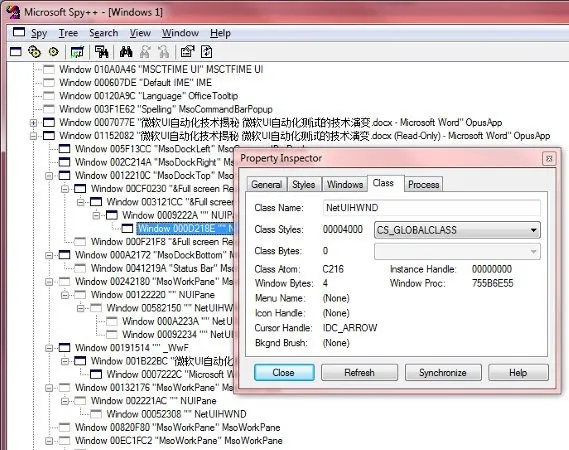
The code I wrote to interact with the form:
- Detect the process that is running "SecondWind" to make sure the app is running and identify the Process ID (PID).
- Using the PID grab onto the windows form handle (hWnd).
- Detect the name of the windows form - this gave me the title of the application to determine the version.
- Use Microsoft utility "Spy++" to detect the forms and its sub controls.
Additional features implemented:
- Install the agent as a windows service
- Slow down the form interactions
- Create "writing and reading" sequence steps to validate what has been sent to the form
- Make sure that only one target application is running
- Create different sequences for different versions of the target application
- Build a redundant service to "watch" the first service
- Implement a rolling-log file for error handling using Serilog
- Modbus feedback and heartbeat signal to validate the PLC is still accessible
Summary
By applying some windows form automation and tying it to an API connection we were able to renegotiate a power purchase agreement and make a legacy SCADA application for a wind farm dynamically dispatchable. Considerations around redundancy and reliability were taken into account. As similar systems around the country begin to age, owner/operators need to address what methods will be put in place to remain competitive in the renewables market.
Related work at SCADADOG